If you wish to cancel or change your upcoming appointment, please log in to the application.
On the home screen, you will notice a section called "Upcoming Appointments".
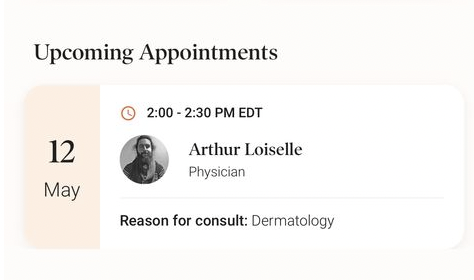
Simply click on the appointment. This will open an expanded view, enabling you to reschedule or cancel.
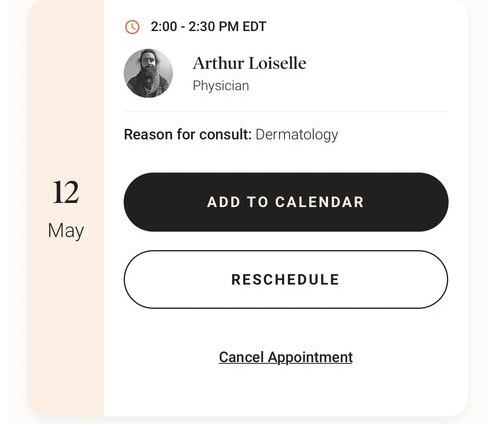
Note: Appointment cancellations or rescheduling must be made within the timeline specified in the app. Late cancellation fees may apply. The applicable timelines and fees for each service are displayed when booking or managing your appointment.
If you no longer have access to the application and you wish to cancel your upcoming appointment, please contact our support team.